

LoopJuice
Monitor Apple Home and HomeKit accessory batteries on iPhone and iPad. LoopJuice brings battery levels, history, widgets and low-battery warnings into one clear overview.
View appLoopPress
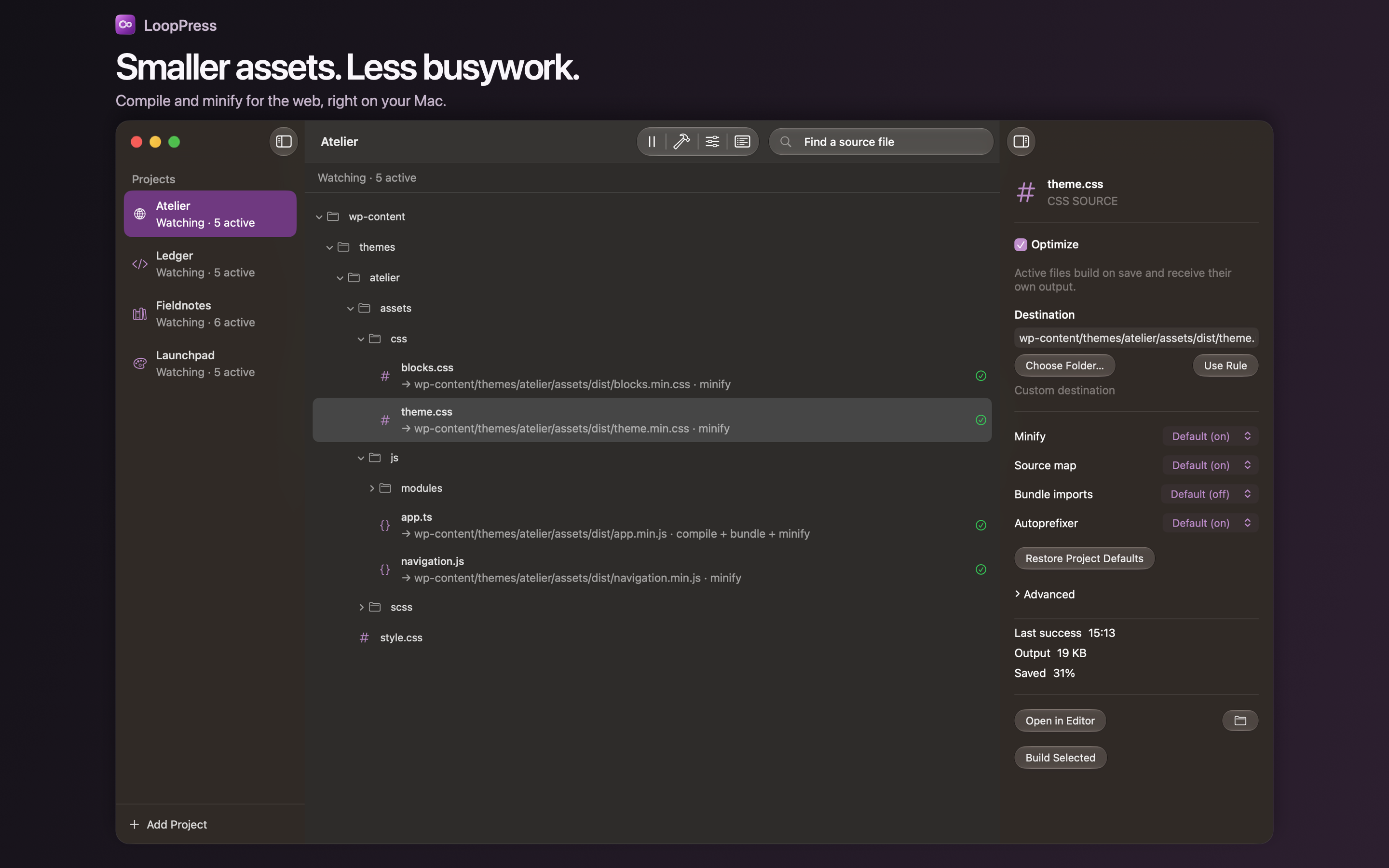
Compile Sass, Less and TypeScript, and optimise CSS and JavaScript on your Mac. LoopPress watches your project files and rebuilds them locally when you save changes.
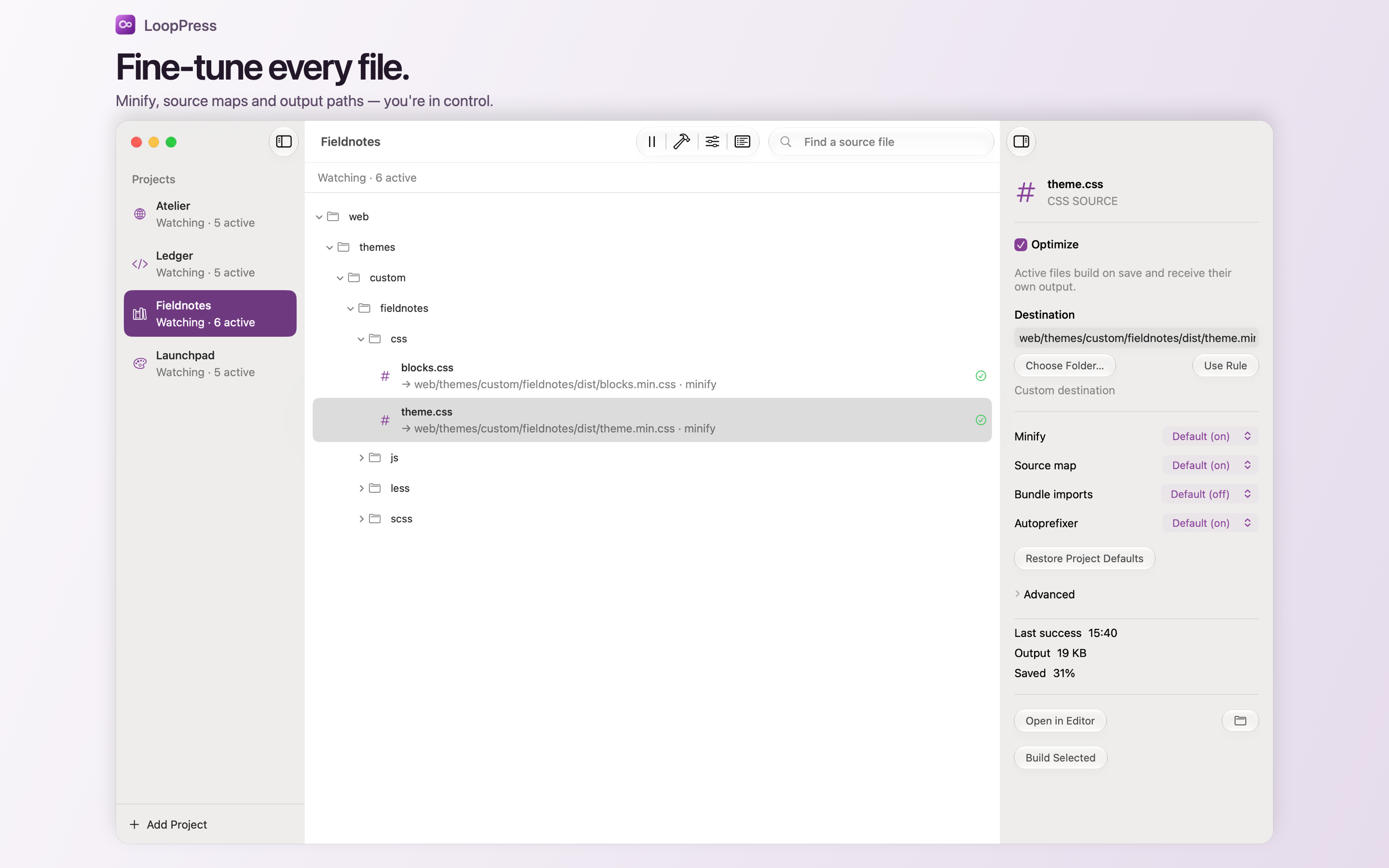
LoopPress is a native Mac app for compiling and optimising website files. It gives web developers a visual way to process CSS, Sass, Less, JavaScript and TypeScript without setting up a separate command-line build toolchain. Add a project folder, choose the files to process and let LoopPress rebuild them when you save changes.
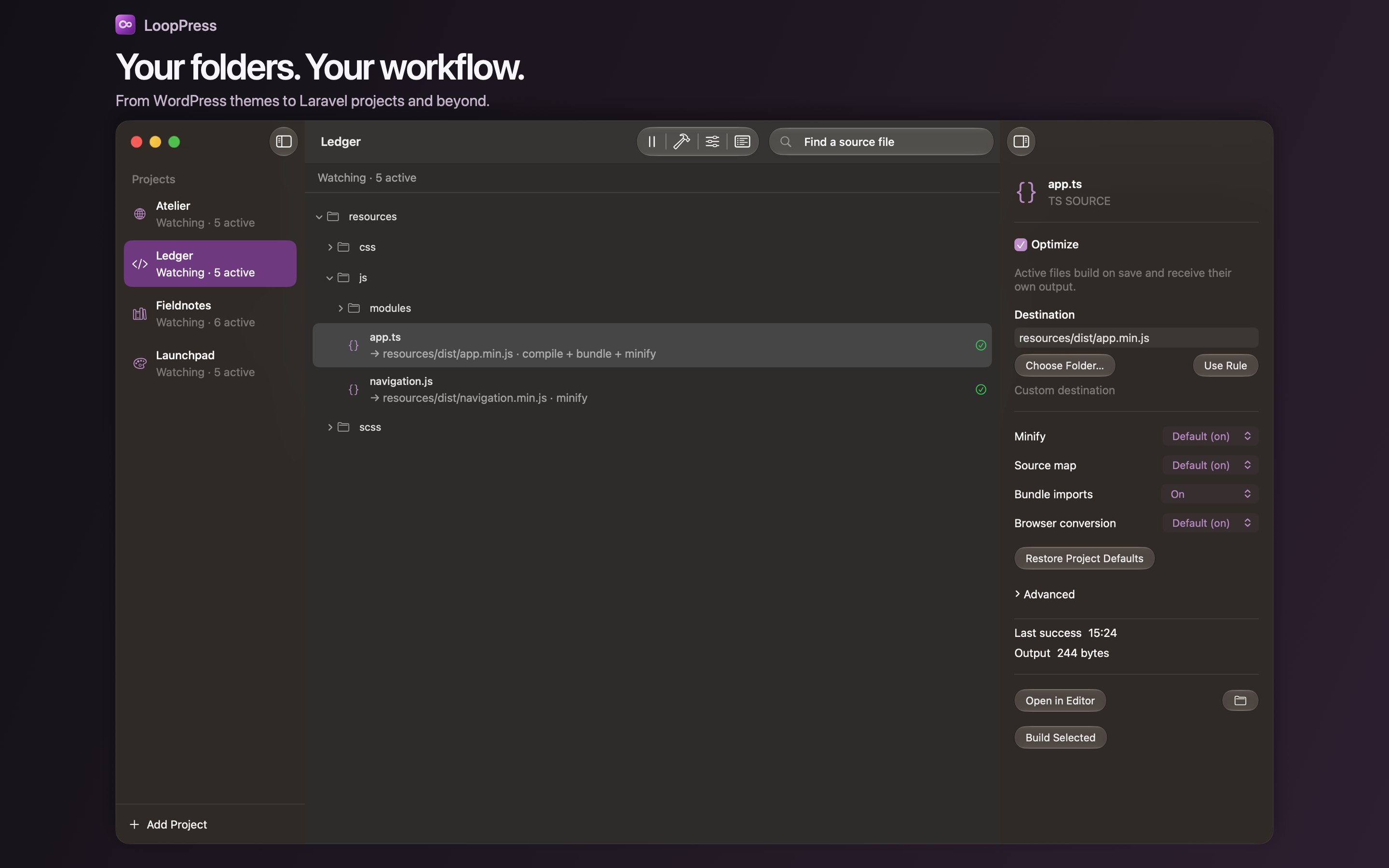
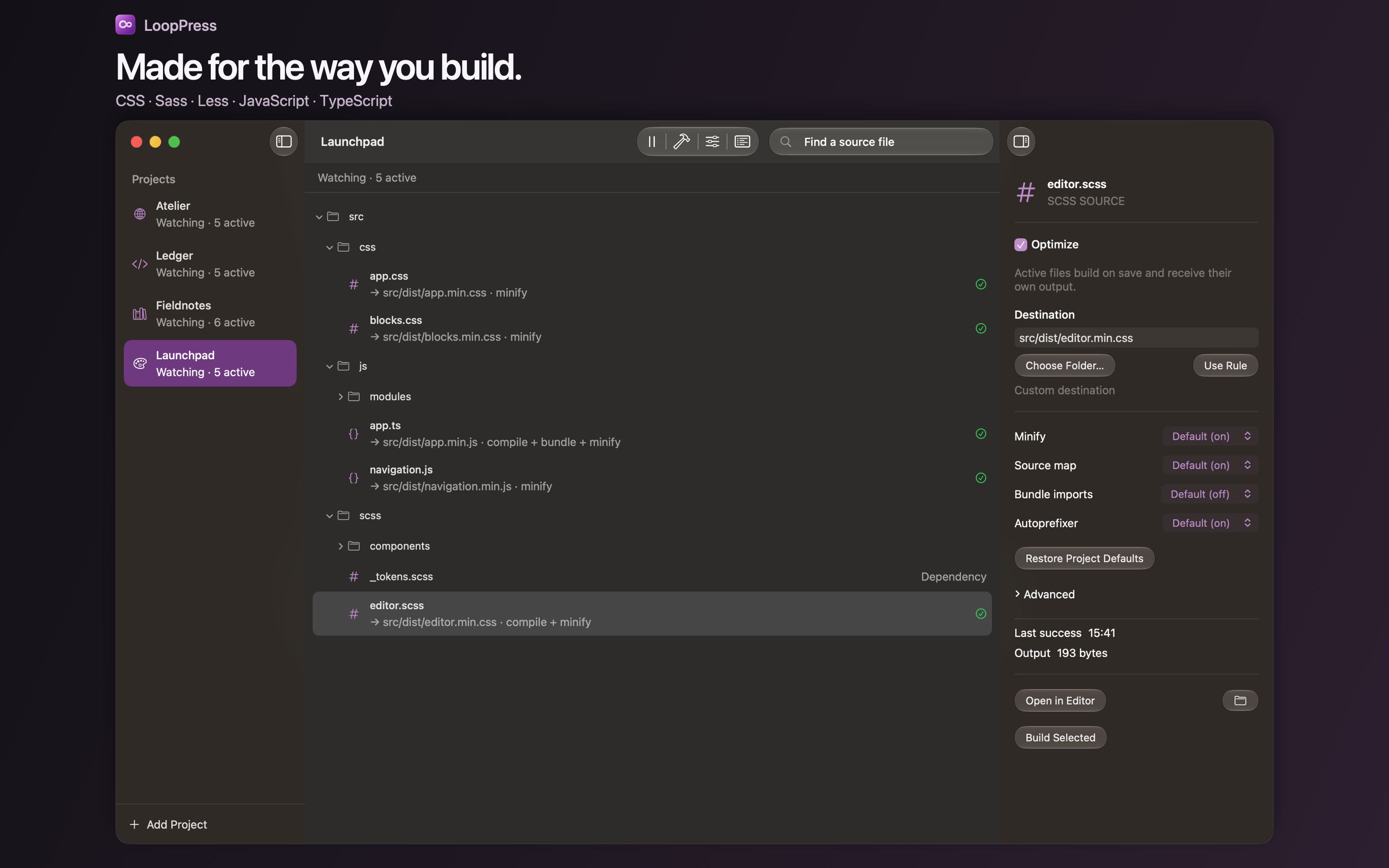
Turn Sass/SCSS and Less into CSS, and convert TypeScript into JavaScript. LoopPress supports CSS, SCSS, indented Sass, Less, JS, MJS, CJS and TypeScript files. Choose the output destination for each entry while keeping your existing project structure.
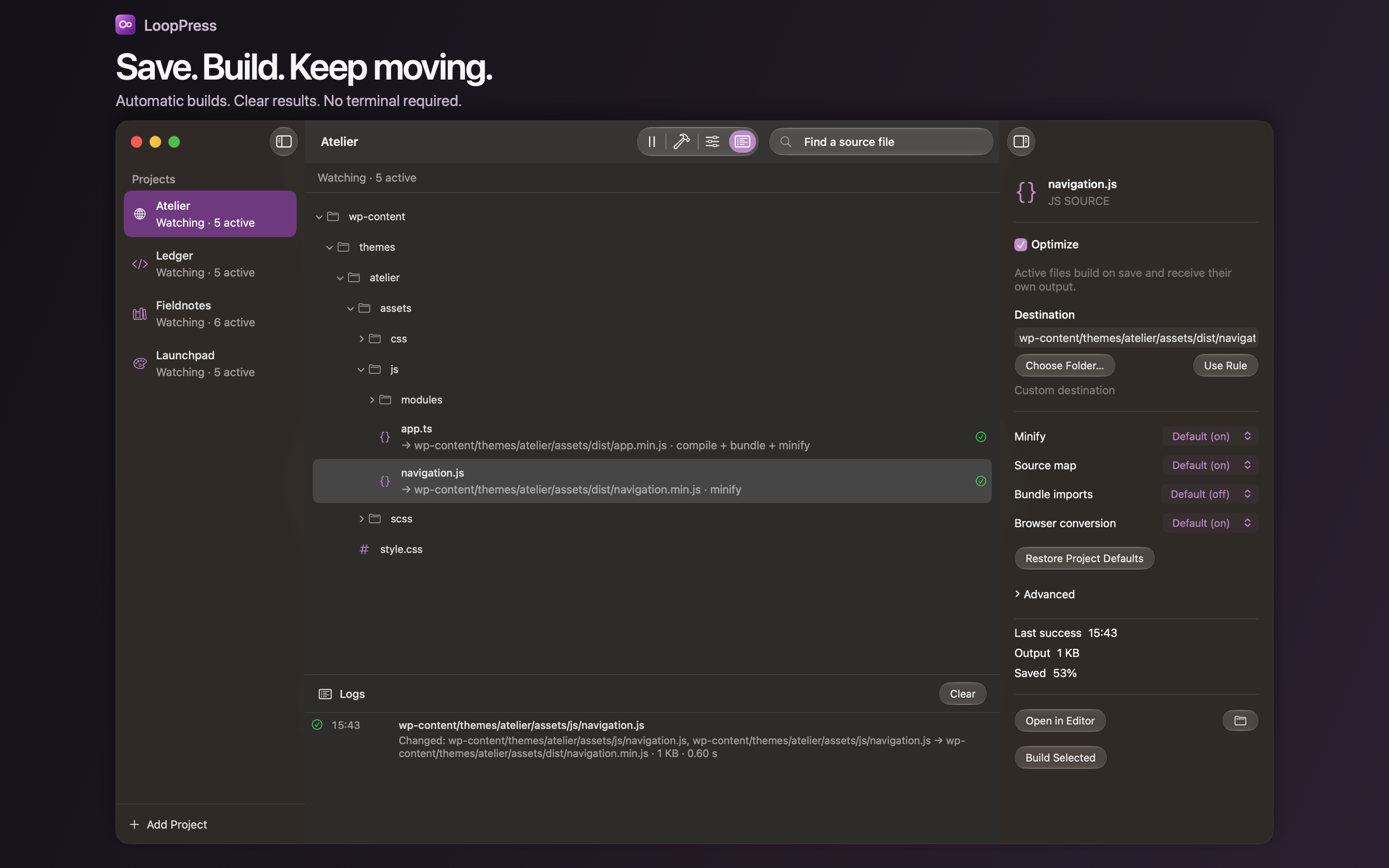
LoopPress watches active source files and their dependencies while the app is open. It rebuilds affected entries after changes settle, so you can keep working in your preferred editor. Watch several projects, pause automatic processing or trigger a manual rebuild with Command-B.
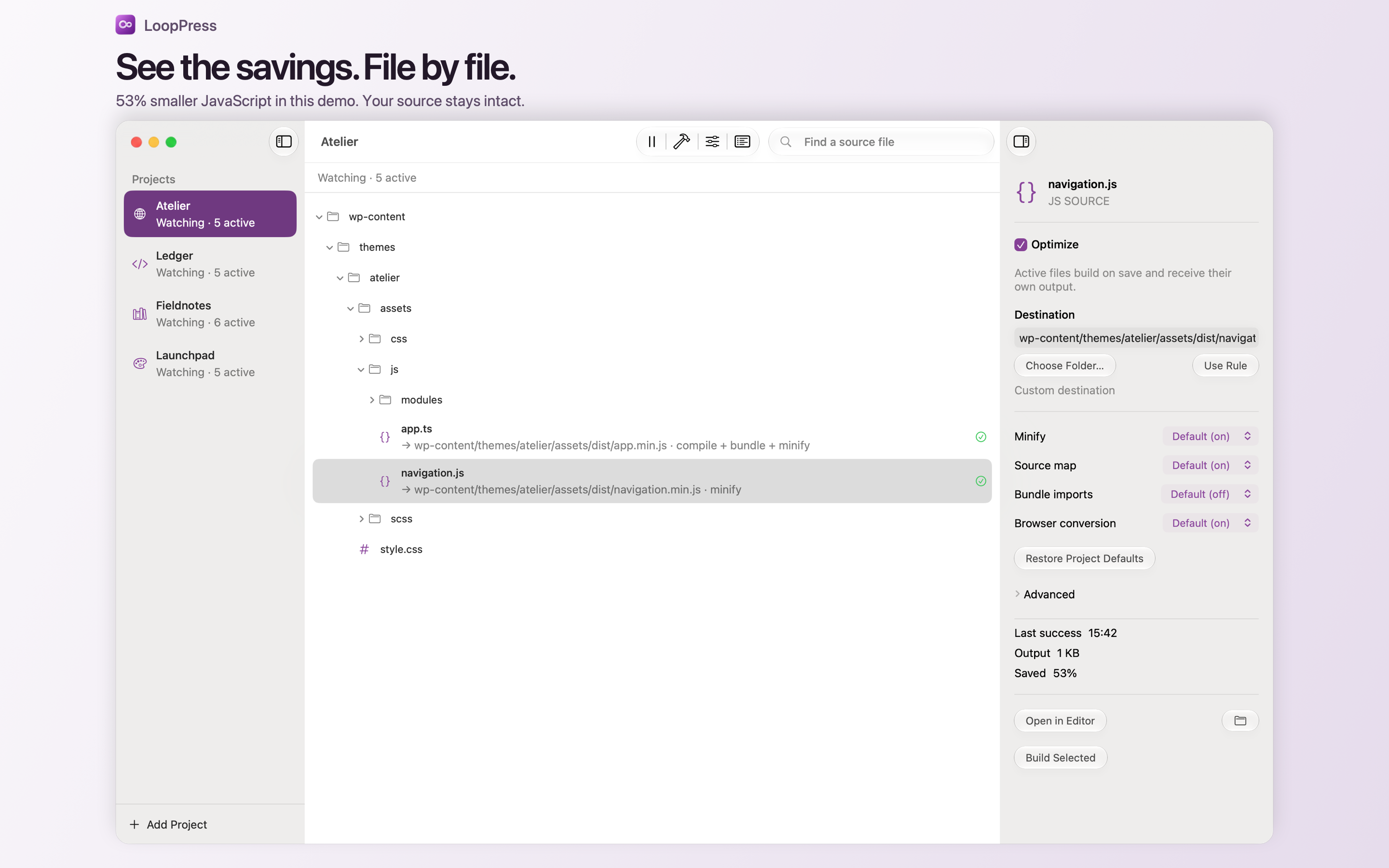
Check output sizes, savings, build status and compiler messages in the app. When a build fails, LoopPress preserves the previous output instead of replacing it with an incomplete result.
No separate installation of Node.js, npm or Homebrew is needed to use LoopPress. The processing tools are bundled with the app, and builds run locally on your Mac. There is no account, source-code upload, tracking or compiler download.
LoopPress requires macOS 27 or later and Apple Silicon. It converts TypeScript syntax but does not perform TypeScript type checking. JSX/TSX, code splitting, automatic polyfills and a live development server are not included. Browser packages must already be present in the project; LoopPress does not install packages or run project scripts.
For project setup, output options and compiler errors, see LoopPress support. The LoopPress privacy policy explains local processing and folder access.
Need help with LoopPress? Contact looppress@murani.nl and mention LoopPress in the subject. Include your macOS version, app version, the relevant file type and any error message. Remove private paths, credentials and confidential source code before sharing examples or logs.
Choose File → Add Project or drop a folder into LoopPress. Existing project settings are restored automatically. Select a source file and enable Optimize, then choose its output destination. Use Command-click or Shift-click to change several files together.
LoopPress rebuilds after relevant source changes have settled. Use Command-B for a manual rebuild. Pause stops automatic builds; resuming or reopening catches up with changes. Leave the app open for file watching to continue.
Minification, source maps, bundling and Autoprefixer follow project defaults unless you override them for a file. Use the folder picker to grant permission for output outside the project folder.
Open the Logs panel to see compiler diagnostics. Check that imports exist inside the project and that any browser packages are already installed. LoopPress does not install packages or run project scripts. Failed builds leave the previous output intact.
LoopPress supports CSS, SCSS, indented Sass, Less, JS, MJS, CJS and TypeScript conversion. It does not provide TypeScript type checking, JSX/TSX, code splitting or automatic polyfills. Use a separate CSS entry instead of importing CSS from JavaScript.
Effective 21 September 2026 · Murani Consultancy BV
LoopPress processes source files locally. It does not collect or transmit your source code, project paths, activity logs, personal information or usage analytics to Murani Consultancy BV or other services. There are no accounts, advertisements, tracking tools or third-party analytics SDKs. The bundled processing tools work offline and do not download tools, install packages or execute project scripts or plugins.
You choose which project and output folders LoopPress may access through the macOS folder picker. LoopPress saves this permission so it can reopen your projects. It also stores project registration, pause state, build records and fingerprints, interface preferences, and up to 300 recent activity messages per project in its private app container. Activity messages can contain file paths and compiler diagnostics.
Shared settings, including your selected project icon, are saved as .looppress.json in your project. Generated output and source maps are saved in the output locations you choose. Source maps may contain the original source text. These files are under your control; if you commit, sync or publish them using other software, that software determines who can access them.
Local project registration and preferences remain until you remove or reset them. Activity logs retain the most recent 300 messages per project; older messages are replaced. Use Clear logs in the Logs panel to remove the current project's activity history. Build records remain locally to detect changes. Temporary compiler files are normally deleted after processing; abandoned temporary files older than one day are cleaned up when LoopPress starts.
To stop access to a project, choose Remove Project in its context menu. This stops watching and releases its folder permissions. It does not delete your source files, shared settings or generated outputs. Historical local log and build-record files can remain in the app container.
To remove all LoopPress local data, first quit LoopPress. In Finder, choose Go → Go to Folder, enter ~/Library/Containers/nl.murani.looppress, and move that container to the Trash. This resets local registrations, saved folder permissions, logs, build records and preferences. Delete project settings, generated outputs and source maps separately in your project folders if you no longer want them. Copies in your own backups or sync services are managed by those services.
Apple handles App Store purchases, TestFlight distribution and any crash reports or feedback shared through Apple's services under its own privacy policies and your sharing settings. LoopPress has no separate crash-reporting or analytics service. When you choose Open in Editor or Show in Finder, macOS opens the files in the chosen app; its privacy practices apply there.
Murani Consultancy BV has no server-side copy of your project data to retain, share, sell or delete.
Monitor Apple Home and HomeKit accessory batteries on iPhone and iPad. LoopJuice brings battery levels, history, widgets and low-battery warnings into one clear overview.
View app
A native FTP client for Mac. LoopFTP lets you upload and download files and folders, browse local and remote files side by side, and keep your server connections organised.
View app
Turn paper into clean PDFs with automatic edge detection, perspective correction and multiple pages per file. Save to iCloud Drive, organise in folders and share. Free, private and watermark-free.
View app