
LoopFTP
A native FTP client for Mac. LoopFTP lets you upload and download files and folders, browse local and remote files side by side, and keep your server connections organised.
View appLoopJuice
Monitor Apple Home and HomeKit accessory batteries on iPhone and iPad. LoopJuice brings battery levels, history, widgets and low-battery warnings into one clear overview.
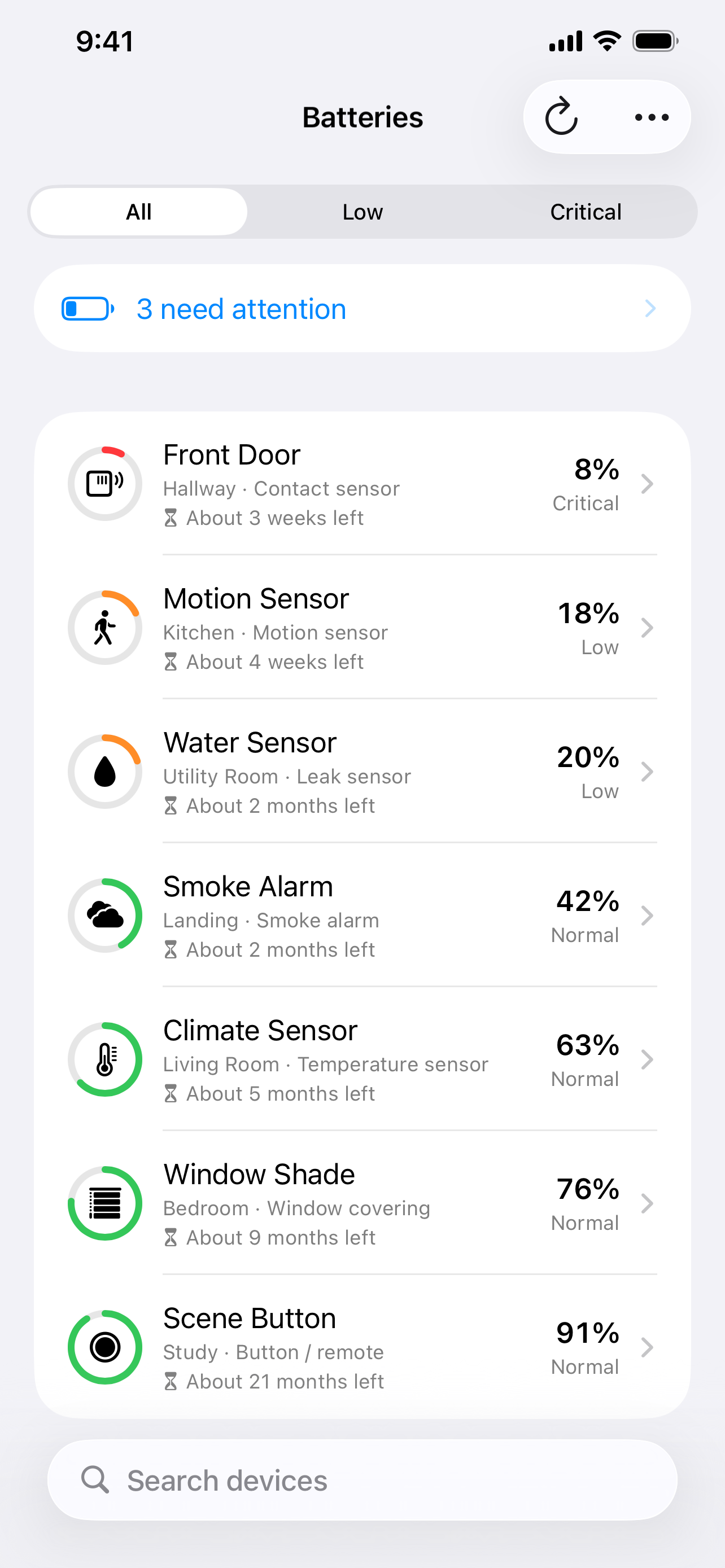
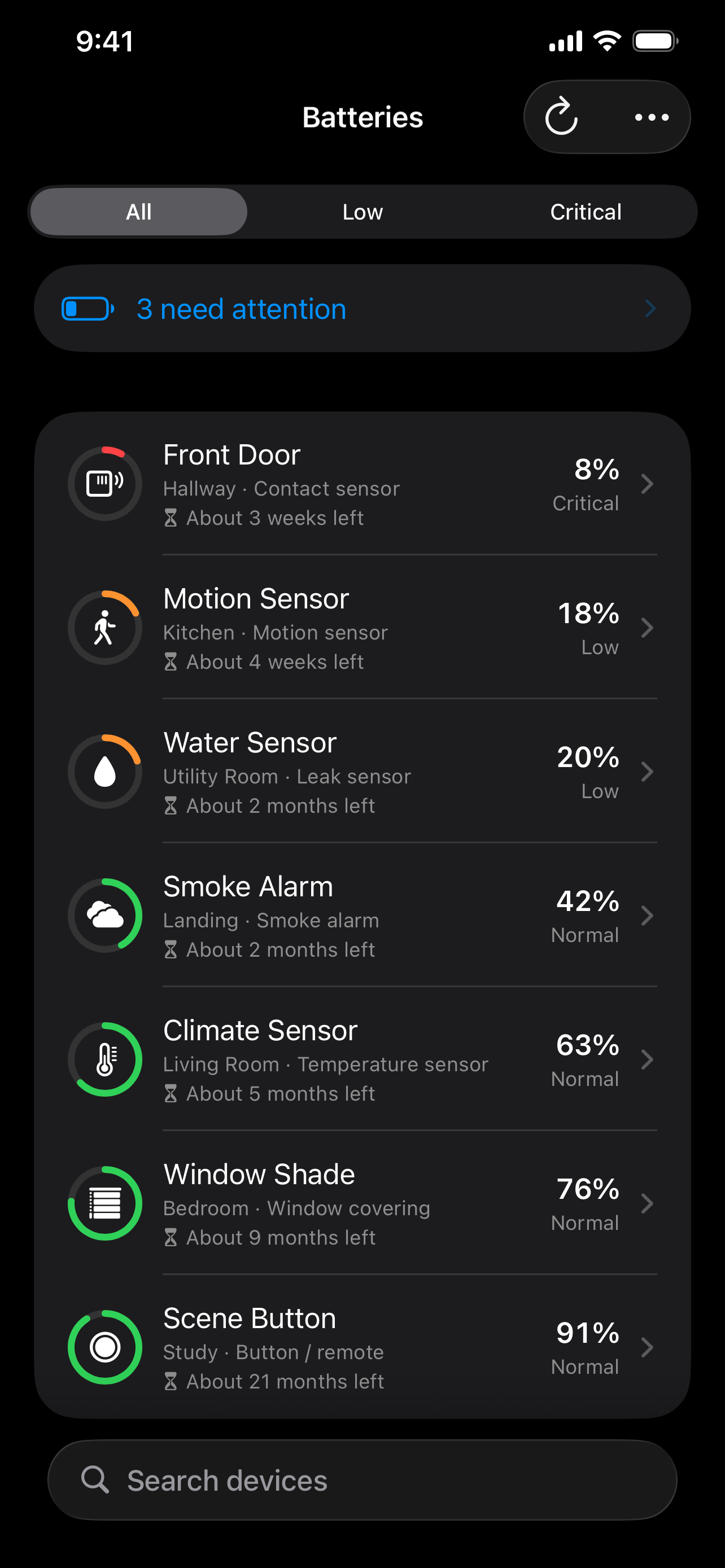
LoopJuice is a battery monitoring app for Apple Home accessories. It helps you find low batteries in compatible HomeKit devices, keep track of replacements and see how battery levels change over time. Check your smart home's battery status in one place instead of opening each accessory separately.
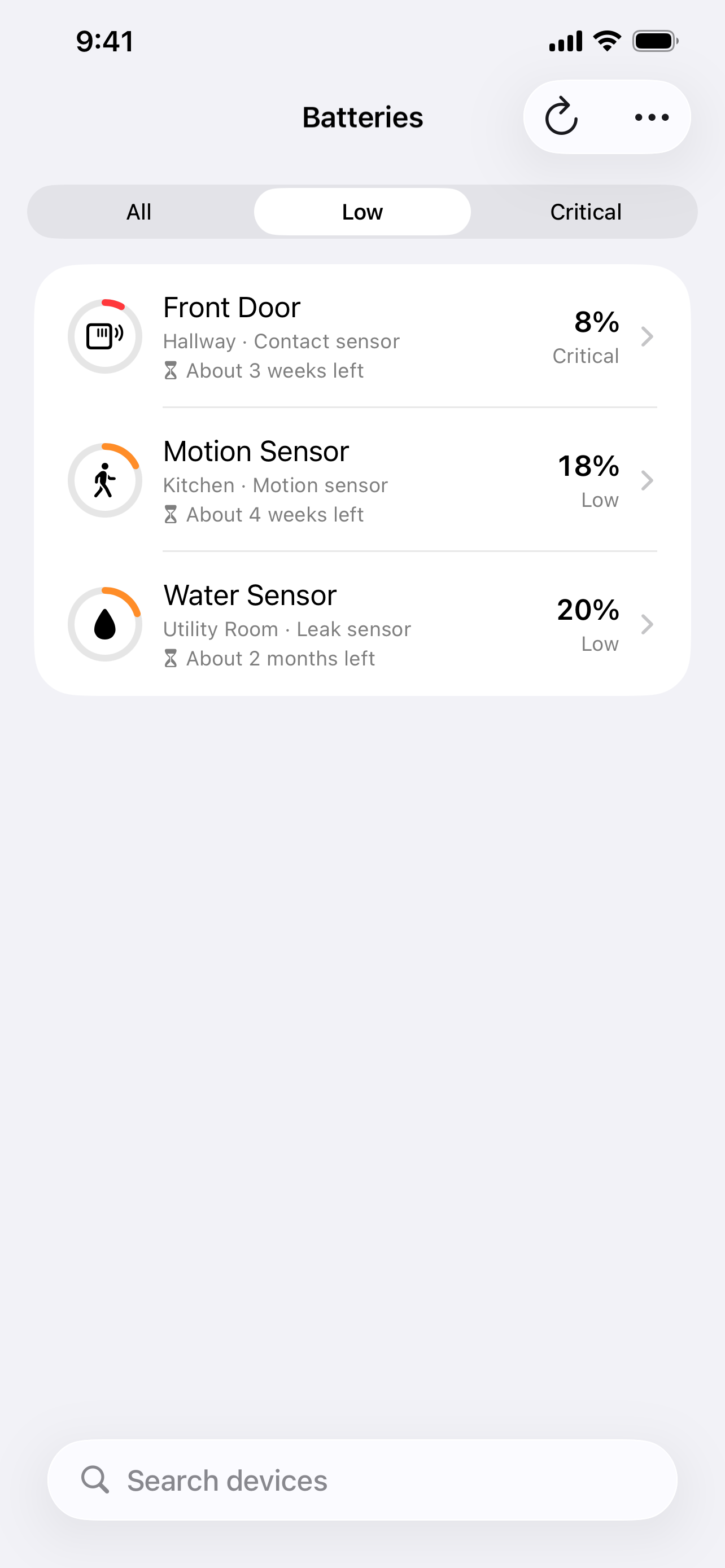
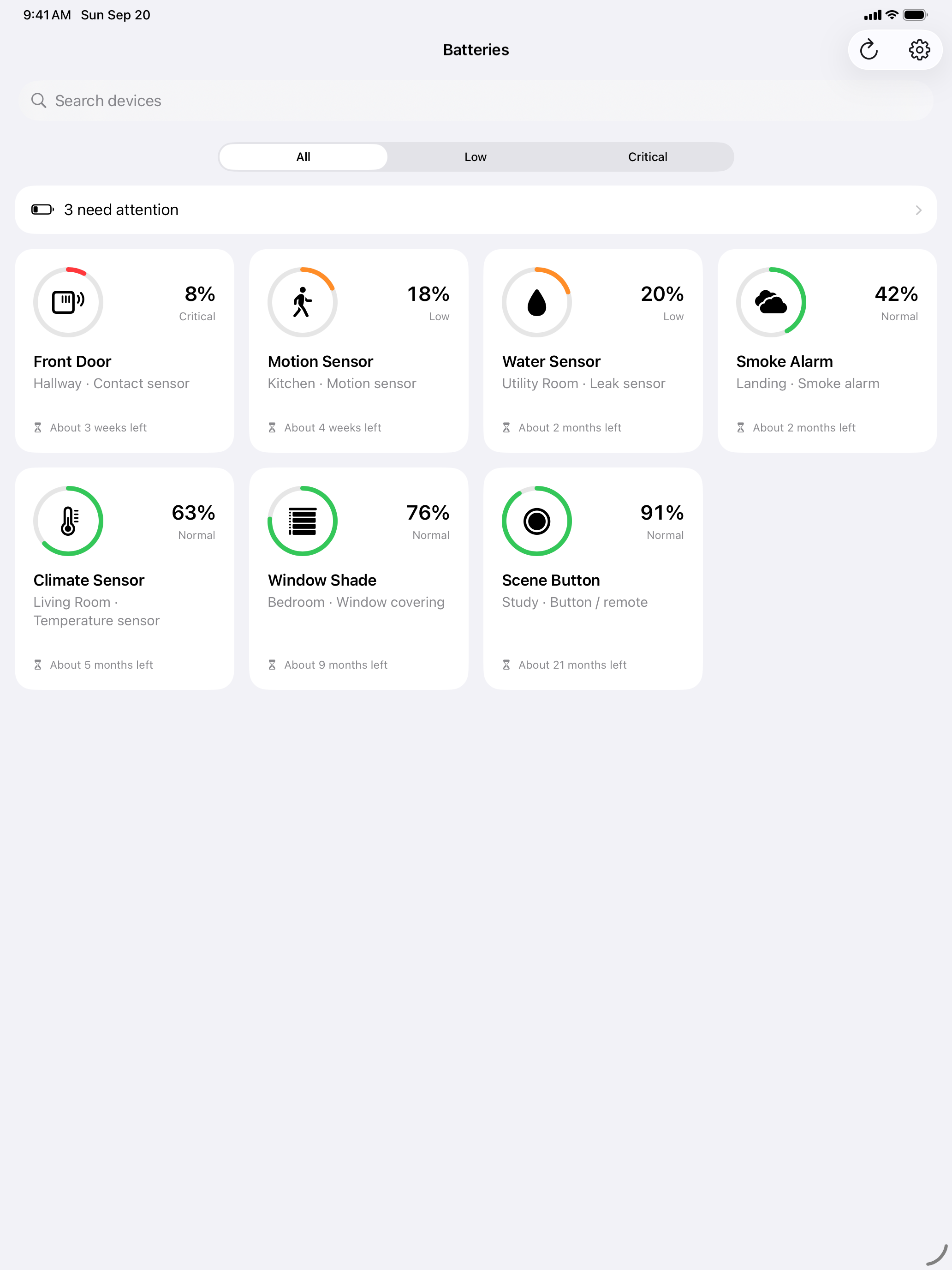
LoopJuice sorts accessories by battery level and shows their room and device type. Use the Low and Critical filters to find devices that need attention, or search for a specific accessory.
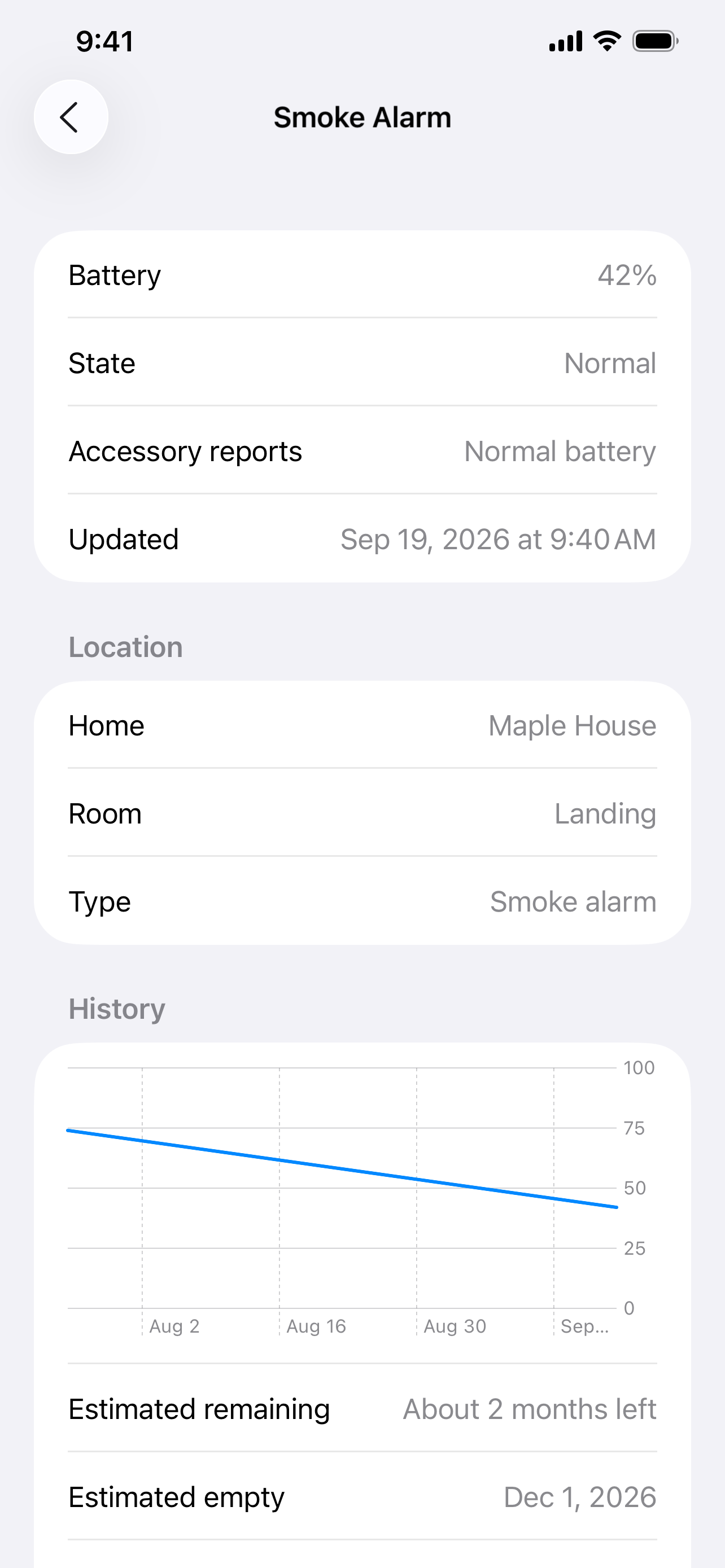
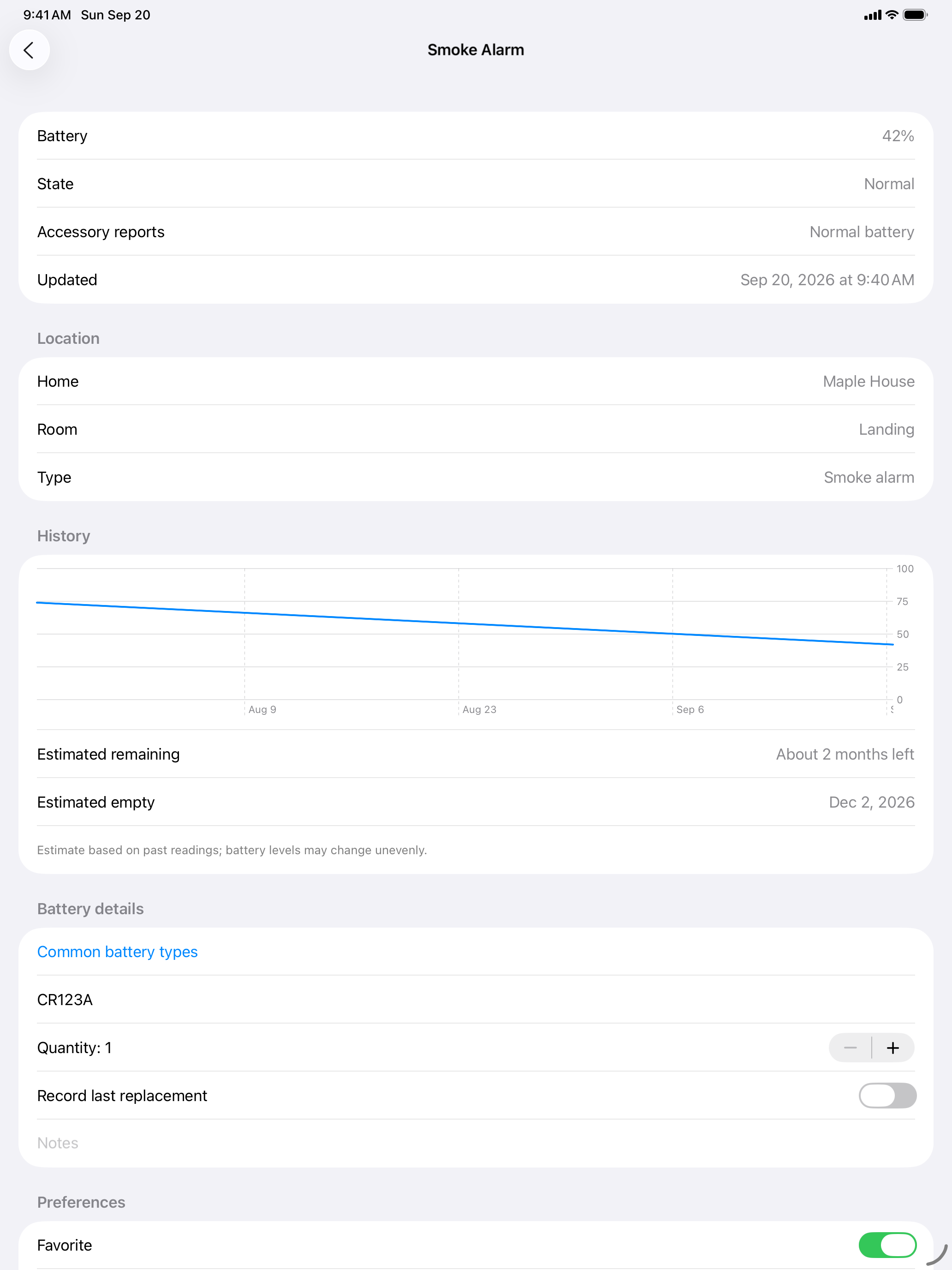
Battery history helps you see how quickly an accessory uses power. LoopJuice can estimate remaining battery life when enough useful readings are available and flag unusually fast drain. Estimates are approximate and depend on the information the accessory provides.
Add Home Screen or Lock Screen widgets to see selected accessories, favourites or your lowest batteries. Use Siri and Shortcuts to check readings, and enable local low-battery notifications. Updates depend on new readings reaching the app; iOS manages background activity.
LoopJuice works with Apple Home accessories that expose battery information through HomeKit, such as compatible sensors and window shades. Some accessories share a percentage, some report only a low-battery warning, and others provide no battery information. It is not a general battery monitor for every Bluetooth device.
LoopJuice requires iOS 17 or iPadOS 17 or later, access to Apple Home and compatible accessories. Readings and preferences stay on your device. There is no LoopJuice account, advertising or third-party analytics.
For setup and missing readings, visit LoopJuice support. The LoopJuice privacy policy explains local storage, widgets and support enquiries.
For questions, bug reports or feature requests, contact loopjuice@murani.nl.
Please include your LoopJuice version, iOS or iPadOS version, accessory model and a description of the issue. Never include passwords or HomeKit setup codes. Remove sensitive home names, device names and other personal information from screenshots and logs before sharing them.
Allow LoopJuice to access Apple Home when prompted. Your compatible battery-powered accessories appear automatically. Use the Low and Critical filters to find devices that need attention, or open a device to view its history and add battery details.
LoopJuice can only show battery information exposed through HomeKit. Some accessories report only a low-battery warning instead of a percentage, and some do not share battery information at all.
Open LoopJuice and tap Refresh to request current readings. Background refresh is scheduled by iOS and is not guaranteed to run at an exact time. Widgets use the latest locally available readings; notifications depend on receiving new battery data.
Estimates need usable readings with a measurable decline. Charging devices, stale readings or insufficient battery history may not produce an estimate. Any estimate is approximate and can change as more data becomes available.
Last updated: 19 September 2026
This policy describes how the LoopJuice app handles information. LoopJuice is published by Murani Consultancy BV. For privacy questions, contact loopjuice@murani.nl.
With your permission, LoopJuice reads information from Apple Home, including accessory identifiers, accessory names, home and room names, device types, and available battery and charging information.
This information is used to display your accessories, monitor battery status, calculate estimates and provide battery warnings. You can revoke Home access in your device's privacy settings.
LoopJuice stores battery readings and their timestamps, the latest known battery values, and identifiers needed to associate readings with accessories.
It also stores your preferences and information you enter, including favorites, ignored devices, notification settings, thresholds, battery types, quantities, notes and replacement or recharge dates.
A summary containing accessory identifiers, names and battery status is shared locally with LoopJuice's widgets and Shortcuts. Notification state is stored locally to help prevent repeated warnings.
LoopJuice accesses your accessories through Apple's HomeKit framework. Home information and battery readings are not sent to a LoopJuice-operated server. LoopJuice has no backend or app-specific cloud synchronization.
Your device may include local app data in backups, depending on your settings. These backups are managed separately through Apple's backup services.
If you use Siri, your requests are handled according to your settings and Apple's Siri privacy policy.
If you enable notifications, LoopJuice generates battery warnings locally on your device. These can include accessory names and battery levels.
Widgets also display accessory names and battery information. Depending on your device settings, this information may be visible on the Lock Screen. You can manage notification previews and remove widgets through system settings.
LoopJuice does not include advertising, tracking or third-party analytics.
Limited technical diagnostics, such as background refresh scheduling errors, may be written to the local system log. LoopJuice does not automatically send these logs to us.
Apple may process system diagnostics according to your device settings and Apple's diagnostics policy.
LoopJuice keeps up to 365 saved battery readings per accessory. Older readings are replaced as new readings are recorded.
You can remove saved history using Clear battery history in LoopJuice Settings. This preserves your preferences, notes and latest cached readings. New history can accumulate while monitoring continues. Ignoring an accessory hides it from the overview and widgets; it does not delete its saved data.
Revoking Home access stops new HomeKit reads. Previously saved history and preferences may remain on your device.
To remove local app data, use Delete App in system settings. Offloading the app preserves its data. Backups and system diagnostics have separate retention and deletion controls. See Apple's storage guidance.
Deleting LoopJuice does not remove accessories or change your Apple Home configuration. We cannot remotely access or erase data stored only on your device.
If you email us, we receive your email address and any information you choose to include. We use this information to respond to your request and investigate reported issues, based on our legitimate interest in providing support.
Support correspondence is retained for 3 months.
You can contact us to request access to, correction of or deletion of information you have provided to support. Other applicable rights include restricting or objecting to processing. You may also complain to your local data protection authority. See the European Data Protection Board's guide to your rights.
We may update this policy when LoopJuice's functionality or data practices change. The latest version will be available on this page.
A native FTP client for Mac. LoopFTP lets you upload and download files and folders, browse local and remote files side by side, and keep your server connections organised.
View app
Compile Sass, Less and TypeScript, and optimise CSS and JavaScript on your Mac. LoopPress watches your project files and rebuilds them locally when you save changes.
View app
Turn paper into clean PDFs with automatic edge detection, perspective correction and multiple pages per file. Save to iCloud Drive, organise in folders and share. Free, private and watermark-free.
View app